# 3.3 Setting
*If you hold a master account, please create an agent API account under your master account and login with created agent API account before following this setting step.
# 1. Login

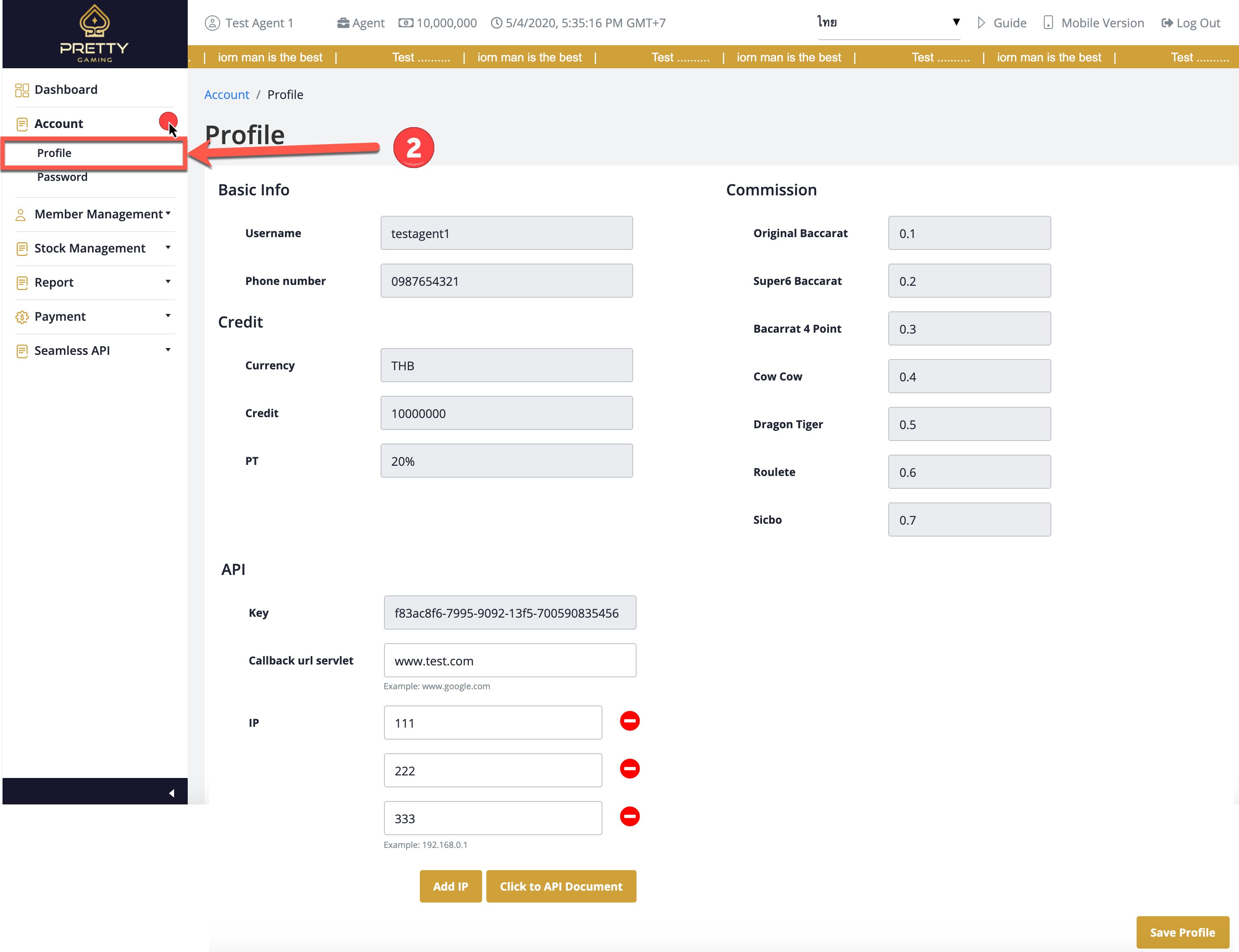
# 2. Click the Account menu and select the Profile menu
# 3. Define the following API information
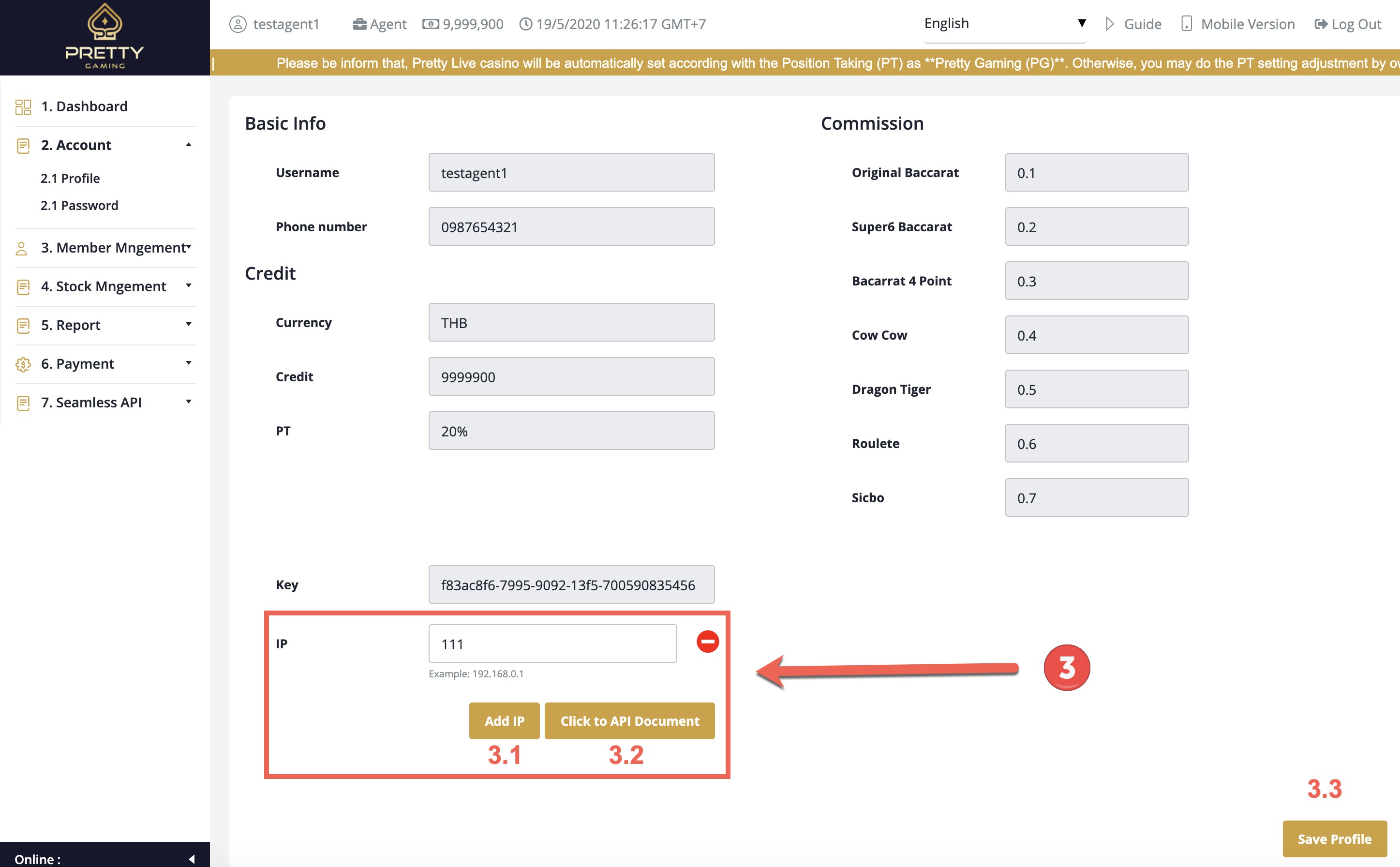
3.1 You can add multiple IP addresses by press the button
3.2 You can click “API Document” button for preview Information
3.3 You can click “Save Profile” button for saving data